The Discord structure is where most operators leak. They set up a server, throw a few channels in, invite creators, and then wonder why nobody talks. The community feels dead. Engagement falls. Creators stop showing up.
The fix is architectural. The structure of the Discord — the categories, the channels, the role gating, the channel order — directly determines what behavior happens inside it. Build it right and the right actions happen automatically. Build it wrong and you're babysitting a graveyard.
This sub-page walks through the exact Discord I run for my current brand, channel by channel. The structure transfers cleanly to any product, any avatar, any niche. The only thing that changes is the specific welcome message copy and the brand-specific personality of the messaging — both of which are gatekept inside the RunItUp Masterclass since they're the actual templates my team uses.
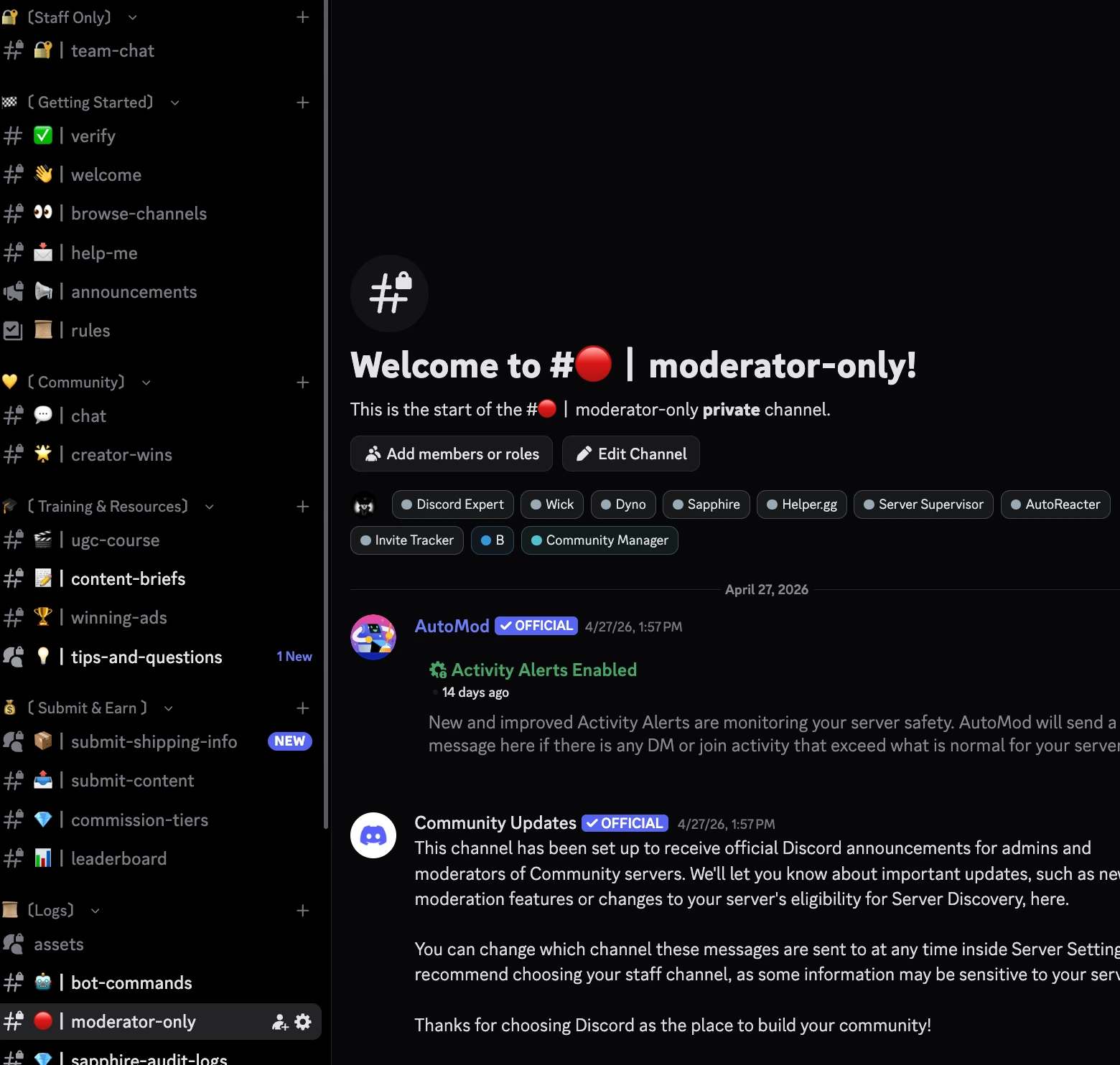
The 7 categories
Seven categories, in this exact order:
- More Members! — new joins land here
- Welcome & Setup — onboarding before access
- Community Chat — engagement and connection
- Training & Resources — learning materials
- Content Submission — where creators deliver work
- Leaderboard & Rewards — competition and recognition
- Support — get help and announcements
Each category does exactly one job. Nothing overlaps. New creators encounter them in roughly this order, top to bottom. Each one moves them deeper into the community.
Category 1: More Members!
The staging area for new joins. The only channel here is #new-members — Discord auto-pings new joiners here. They land, see the welcome flow pointing them to Welcome & Setup, and start the onboarding.
There's no real action in this category. It exists so new joiners have a clear "I just arrived" landing zone instead of dumping straight into general chat where they'd feel lost.
Category 2: Welcome & Setup
This is the gated entry point. Creators land here when they first join. They cannot see anything else (except Support) until they complete this section.
Channels:
- #welcome — the first thing they see. Welcome message, what the community is, what they're going to get out of being here.
- #rules — basic rules. Don't make it long. Cover the essentials: be respectful, no spamming links, follow the content guidelines.
- #verify — this is where the gating happens. Powered by Carl-bot. (carl.gg)
- #start-here — the onboarding flow. Steps 1, 2, 3 to actually getting active in the community.
How the Carl-bot verification works
Carl-bot is a free Discord bot that handles role assignment via reaction emojis. Setup takes ~5 minutes.
- Post a verification message in #verify.
- React to that message with a specific emoji (use your brand emoji if you have one, or a generic one like ✅).
- Configure Carl-bot so any user who reacts to that message with that emoji gets assigned a "Verified" role.
- The "Verified" role is the role that has access to every other channel in the server.
Without that role, all categories except Welcome & Setup and Support are hidden. Always leave Support open to all roles — creators need a way to get help even before they verify.
This single verification step does two things:
- Filters out bots and lazy joiners who never react to a message.
- Trains the behavior of "follow instructions to access more" — which compounds across the rest of the onboarding.
#start-here — the actual onboarding sequence
This channel has the step-by-step new creators follow after verifying.
Step 1: Set up your affiliate portal + receive your product.
Link to your affiliate portal (Shopify Collabs, Social Snowball, Uppromote — whichever you're using). Provide instructions for how they'll receive product:
- If you're using Shopify Collabs: they claim the free gift through Collabs, gets shipped automatically.
- If you're shipping manually: they wait for the email from your VA with shipping confirmation.
- If you're giving a 100% off discount code: they get the code in their welcome email and place an order on your store.
Step 2: Review rules, watch the UGC course, submit your first videos.
Direct them to the rules channel, the ugc-course channel, and the submit-content channel. Set the expectation that within their delivery window (14 days from product receipt) they'll have submitted their committed pieces of content.
That's the entire pre-engagement onboarding. Two steps. Don't make it longer than this — every additional step drops your activation rate.
Category 3: Community Chat
This is where engagement actually happens.
Channels:
- #general-chat — main hangout. Open conversation about anything community-related.
- #tips-and-questions — separate channel for creator questions about content, equipment, strategy. You could combine this with general-chat — they're functionally similar — but separating gives questions a clean home so they don't get buried in casual talk.
- #creator-wins — incentivize creators to post their wins. Sales, viral content, milestones, even "I just received my product!" Anything counts. Other creators react and hype them up.
Why creator-wins is more important than it looks
In the early days of any community, most creators aren't making meaningful money yet. If your only definition of "win" is sales, the channel sits empty for months and creators get demoralized.
Define wins broadly. Receiving the product for the first time is a win. Posting their first piece of content is a win. Getting their first comment from your brand account is a win. Hitting 100 views on their content is a win.
Every win posted gets reactions, hype, and engagement from the rest of the community. Engagement compounds. Creators who post wins post more content. Creators who see other people winning get motivated to win themselves.
This is the social-proof flywheel inside the community. It runs entirely on its own once you seed it.
The role of the IFVA / Discord mod
The community doesn't run itself in the early stages. You need a person inside it pushing engagement.
If you're a solo operator: come into the Discord once a day, post in general-chat, react to wins, ask questions, drive conversation. 15 minutes a day is enough to keep the community alive in the first 30 days.
Better: hire a cheap Discord mod or VA — your IFVA from the previous sub-pages — and have them handle this daily. It's a low-skill, high-frequency task that's perfect for a remote VA.
Once you've got a few of the right creators inside who are naturally talkative, they'll lead the engagement themselves. You're just creating the conditions for the community to take over its own daily activity.
Category 4: Training & Resources
This is where creators learn how to make better content for you.
Channels:
- #ugc-course — link to a Notion document that serves as your in-house UGC course. Cover the basics: how to film, how to use trending audio, how to structure a hook, how to use AI to generate scripts, what your brand voice sounds like. (I'll cover building this course in the next sub-page on training creators at scale.)
- #tools — a curated list of every tool you recommend creators use. Creative OS, CapCut, Claude, etc. Important: for every tool you recommend, get an affiliate link so you actually get paid when creators sign up. Stack pennies on top of pennies — over a year with hundreds of creators in the funnel, this adds up.
- #content-briefs — where you or your creative strategist drops content briefs. Could be specific concepts you want UGC for, specific ad angles you want tested, specific products you want featured. We use Milanote for the visual brief layout, then drop the Milanote link into this channel and @everyone.
A note on the UGC course
When you're starting, the course is built by you in Notion using a template that lives inside the masterclass — or you can build your own from scratch using Claude + Notion connector. Plug-and-play either way.
When you scale, take your best creator from the community, pay her to film an actual video version of the course, and replace the Notion document with her course. Same content, but in her voice, with her face. Way more authentic, way more relatable. Activates new creators way faster than reading a doc.
Category 5: Content Submission
Where creators deliver the actual content they made.
Channels:
- #submit-content — link to a Google Form (or Monday form) where creators upload their content. The form pipes uploads directly into a Google Drive folder you and your VA can access. From there, your video editors download, Recharm auto-clips for B-roll, and the content goes into your ad workflow.
- #content-tracker — public visibility into what's been submitted, by whom, when. Optional but useful for accountability — creators can see if other creators are delivering, which creates social pressure to follow through.
- #winning-ads — the most important channel in the entire community.
Why winning-ads is the whole point
Most operators treat the content submission channel as the purpose of the community. It isn't.
The real purpose: when you have a winning ad — yours, a UGC creator's, or a piece that went viral organically — you post it in winning-ads, @everyone, and tell them to remake it in their own voice and submit ASAP.
Within 48 hours you have 30+ versions of a winning ad ready to upload to your ad accounts. Each version is in a different creator's face, voice, and angle. Each version routes through different audience segments. Each one extends the lifespan of the original winning concept.
This is what COMFRT does. This is how they scale so fast. It's literally a cheat code.
If you only do one thing right with this community, do this one thing right.
Content guidelines (must-haves)
In the rules of the winning-ads channel and the submit-content channel, include:
- Must say the brand name in the content. Otherwise creators can rip the format and use it for someone else's brand. Saying the brand name doesn't fully prevent ripping — but it makes it materially harder.
- Must follow the brand voice and visual guidelines (which you provide in the UGC course).
- Original content only — no reposting from other creators or stock footage.
Category 6: Leaderboard & Rewards
The competitive layer that turns the community into a game.
Channels:
- #leaderboard — every two weeks (or monthly, or quarterly — pick a cadence and stick to it) you post the top performers. Most money earned, most content submitted, biggest impact in the community, whatever criteria you want. Don't make it only about money in the early days — when creators aren't earning much yet, ranking by engagement / content volume / community impact keeps everyone motivated.
- #rewards-and-prizes — public list of what the leaderboard winners get.
- #commission-tiers — public list of your commission tiers + how to advance.
Reward structure
Don't overspend on prizes early. The point is the recognition, not the cash value. Sample structure I use:
Monthly leaderboard:
- 1st place: $200 Amazon gift card
- 2nd place: iPad (or comparable item — pick something your avatar actually wants. Moms love iPads. Younger fitness creators might want AirPods Max. Tailor to your audience.)
- 3rd place: $100 Amazon gift card
Quarterly leaderboard:
- 1st place: free trip to [destination] — Hawaii is a great default. Pick something with travel appeal, photogenic, easy to brag about on social. The fact that the winner posts about the trip drives community-wide motivation.
The trip prize is the engagement multiplier. When the quarterly winner posts pictures from Hawaii on their social, every other creator in the community sees it and immediately wants to win the next one.
Commission tier structure
Four tiers in escalating order:
- Base — entry tier. Creators who've joined but haven't yet completed the activation task.
- Mid — activated tier. Creators who've made their first sale (or completed whatever your activation milestone is).
- High — proven tier. Creators who've generated $10k+ in attributed sales.
- Elite — top tier. Creators who've generated $25k–$50k+ in attributed sales.
Specific commission percentages depend on your margins. The general rule:
- Base → Mid jump should be fast and easy (1–5 sales). Quick dopamine spike. Activates new creators.
- Mid → High → Elite jumps should be harder and more meaningful. Bigger commission jumps reward sustained performance.
As you scale and accumulate more elite creators, raise the thresholds to keep the tier exclusive. Elite at $25k generated when you have 10 elite creators is meaningful. Elite at $25k generated when you have 100 elite creators isn't. Bump it.
Category 7: Support
Always open. Always accessible.
Channels:
- #get-help — uses a support bot with a ticket system. Creator clicks a button or reacts to a pinned message, a private support thread opens between them and your VA. Standard Discord support flow.
- #announcements — for quick brand-wide messaging. New campaign launching, product restock, leaderboard winner reveal, etc. Read-only for non-mods. Use sparingly so notifications don't get muted.
What's gatekept
The actual welcome message text, the rules channel copy, the start-here onboarding sequence wording, the verification message, the brand voice for the IFVA, the leaderboard announcement format — all of that is template content that lives inside the RunItUp Masterclass.
I'm telling you the architecture for free. The actual copy is what my team uses every day, and that's reserved for members.
Same applies for:
- The exact Carl-bot configuration (specific emoji, role naming convention, permissions setup)
- The exact UGC course Notion template
- The Milanote brief template I link in #content-briefs
- The Google Form for submit-content with the file routing automation
All of those are inside the masterclass.
What's next
The next sub-page covers what to actually do with the creators once they're in this community: how to brief them, how to run the B-roll on demand mechanic at scale, how to identify and promote your top performers into retainer roles.
Want the full, video version? Every SOP, notes, extra information, plus calls & a chat with me inside our 1,000+ member community — here inside the RunItUp Masterclass → Join here
Join now to lock in your rate, prices are increasing quickly.